Hi, I'm Ryan. I design products that make complex things feel simple.
I start every design by asking the right questions and mapping how the whole system fits together. Then I build quick AI prototypes to test ideas early, before the team commits.
At PayPayJapan's largest mobile payment app in Tokyo, I make paying and managing money easy for 65M+ users, even when the rules behind it are not. Before that, I worked on growth and retention at CarousellMarketplace app across Southeast Asia and Taiwan in Taiwan and Singapore.
Outside work, I mentor designers at AAPDEducation platform for product builders in Taiwan and build small tools with code and AI.
Work
PayPay
I lead design for money in and out of the wallet, from top-ups to ATMs to card payments, balancing ease of use with business and legal needs.
Ryan was a key team member during my time at PayPay, where he consistently delivered high-quality designs across multiple projects. He also contributed to Design Ops by improving QA processes and accessibility.
Ryan is my team member at AAPD, where we teach Figma and UI design. He began as a teaching assistant and quickly advanced to an instructor role, demonstrating strong learning ability, attention to detail, and clear communication.
Ryan was a valued team member who independently led several challenging projects with unclear requirements. He brought clarity through thorough research and tackled problems with patience and a methodical approach.
Ryan was a former colleague at Carousell, and I was always impressed by his ability to balance user needs with business goals to deliver practical, thoughtful designs.
When design and development misaligned, he calmly found practical solutions with the team. His suggestions for bug fixes and optimizations boosted both product quality and team efficiency.
When I read online in English or Japanese, I kept finding words I wanted to learn later. Copying them into a note broke my reading, so I built a browser extension: select the text, press a shortcut, and it’s translated into Chinese and saved to Notion to review later.
Plan first, then build
I asked AI not to write any code until the plan was locked, and I confirmed each decision before we moved on. Three choices shaped the tool:
From Mac Shortcuts to an extension. I started with a macOS shortcut, then switched to a browser extension so I could share it with others.
DeepL for translation. It translates more naturally, and it supports Traditional Chinese.
Notion as the word list. Each person adds their own API keys, so everyone’s words stay separate and no one pays for anyone else’s translations.
How it works
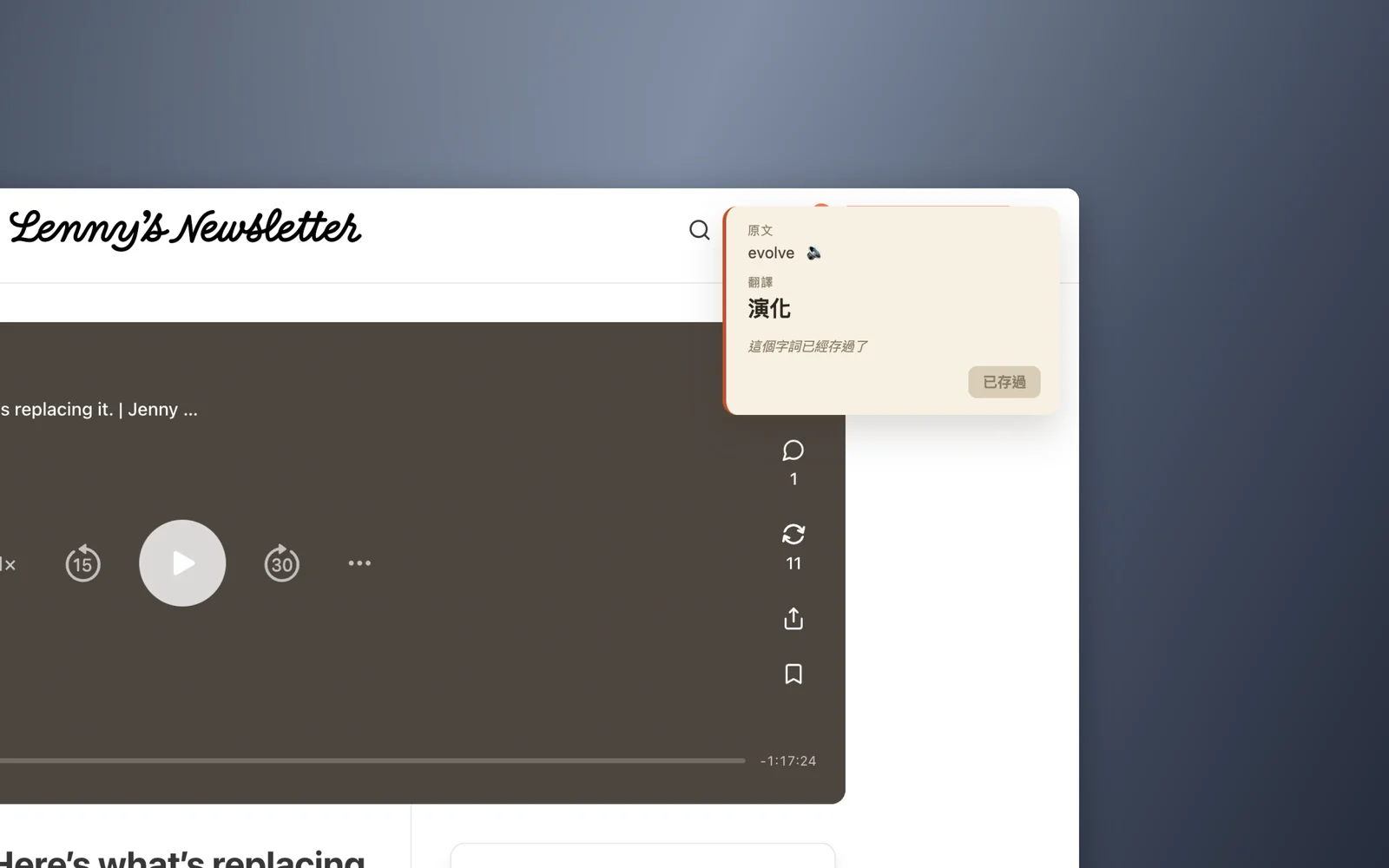
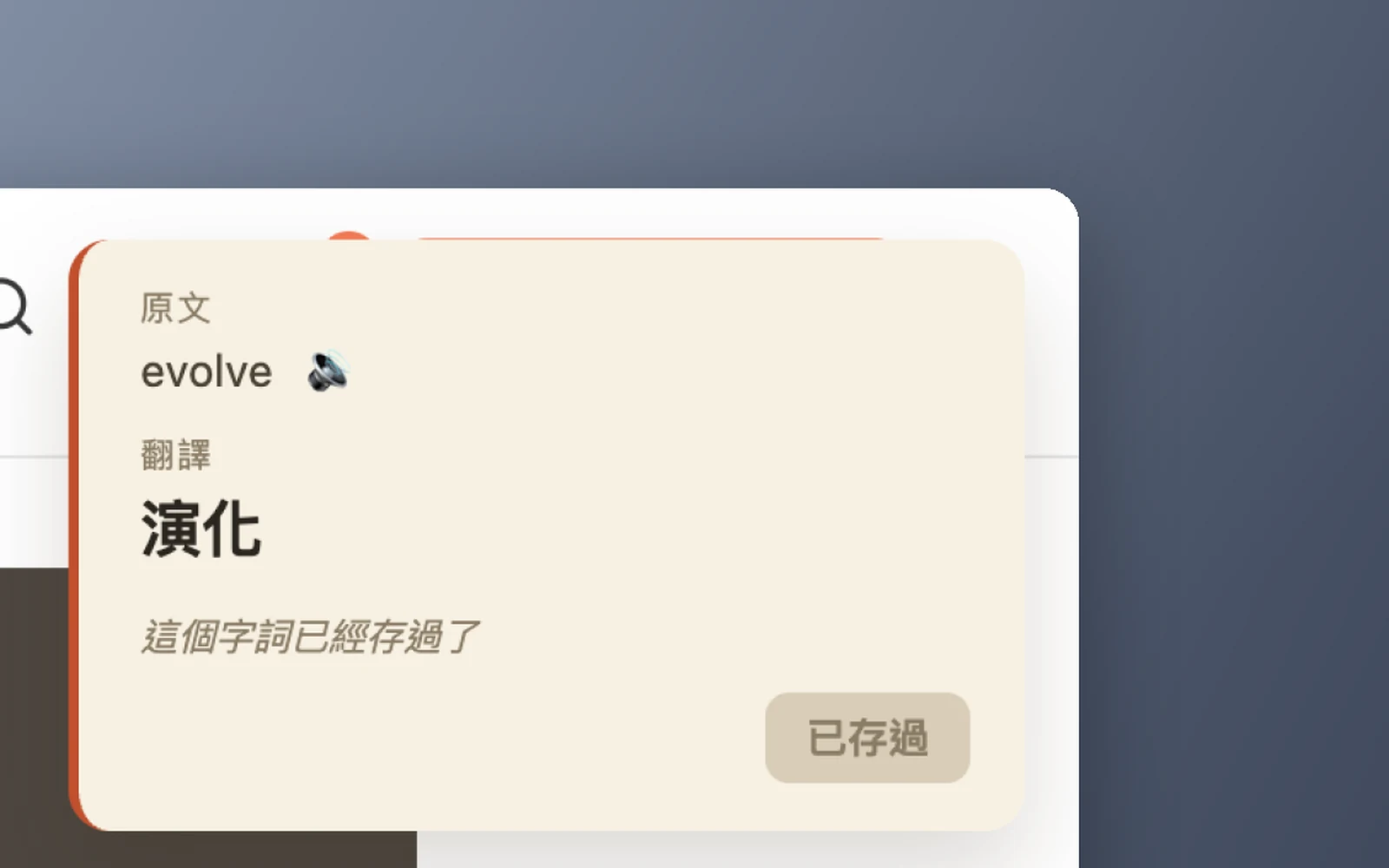
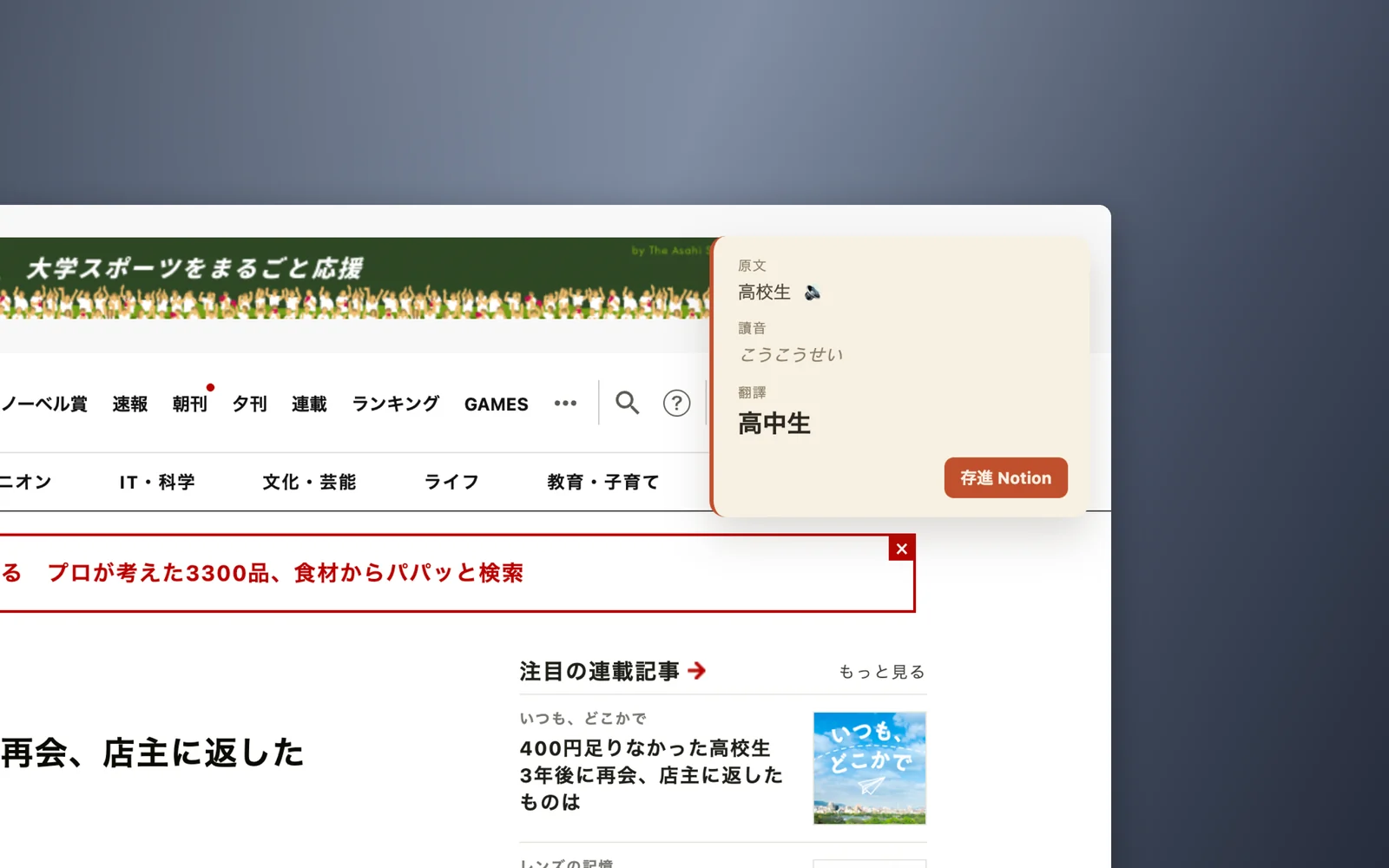
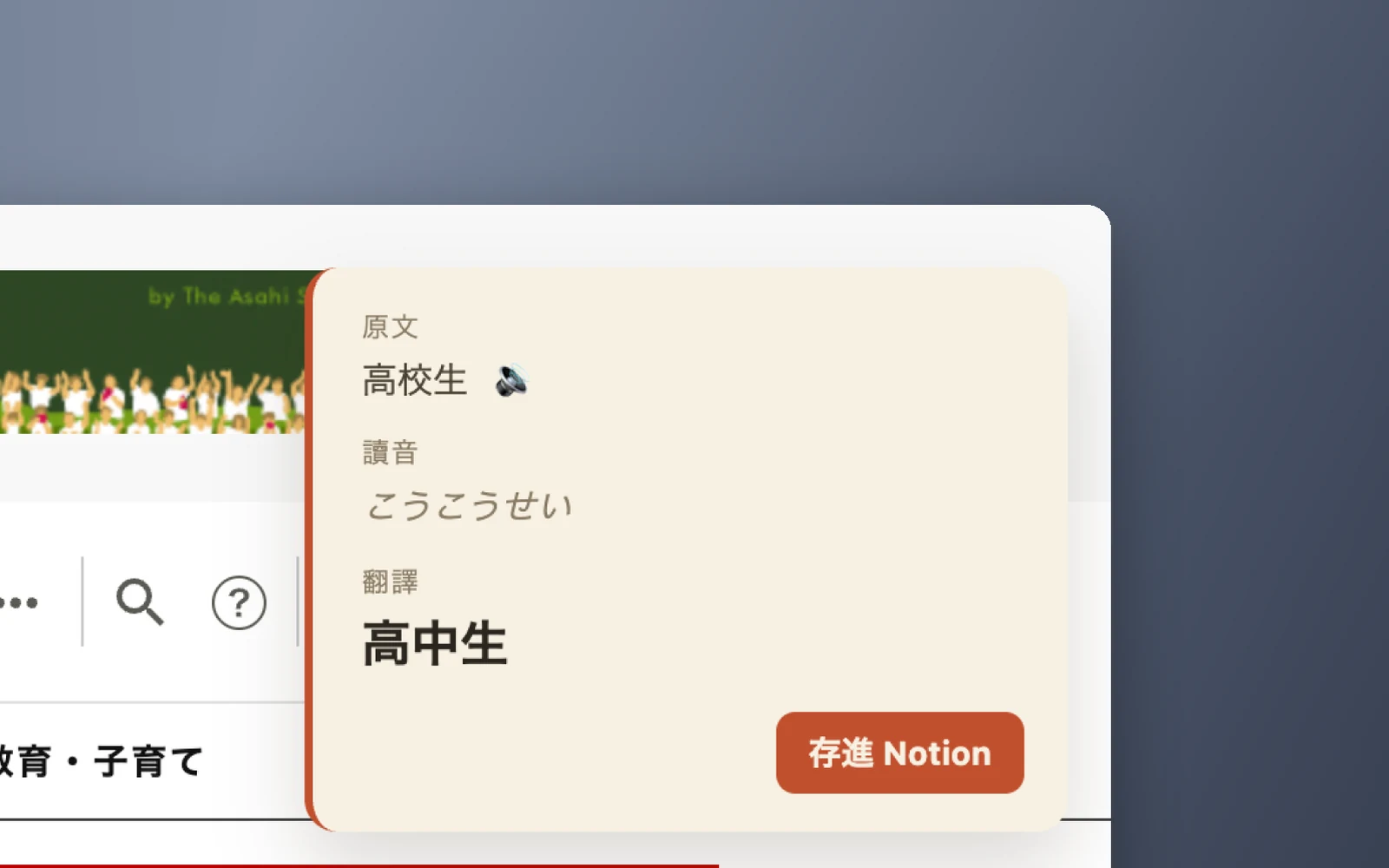
Select any text on a page and press Ctrl+Y. A card shows the original, how to say it, and the translation. Save it to Notion, or click anywhere outside to close it.
The details
No duplicates. If a word is already saved, the button turns off and says so. It ignores capital letters and extra spaces when comparing.
Hear it and read it. English shows IPA, Japanese shows hiragana, and a play button reads it out with the browser's built-in voice.
Small things that went wrong
A shortcut that was already taken. Cmd+Y opens Chrome’s history, so the extension never heard it. I moved it to Ctrl+Y.
A button some sites covered. On sites with a custom cursor, an invisible layer sat on top of the play button. I made the card’s buttons catch clicks first.
What’s next
Publish it on the Chrome and Edge stores. It still needs an icon and a privacy page.
Turn it into a desktop app, so it also works on text outside the browser, like PDFs and email.
What I learned
As my own user, what I cared about most was not breaking my reading. Almost every decision came back to that: a shortcut instead of a menu, and a card I can close with one click.